01
Define the country rules
Assign one TikTok gift to each country and choose the points earned whenever that gift arrives.
Choose a gift for each country, assign its points and let every viewer gift move the live leaderboard. No sender country is required.
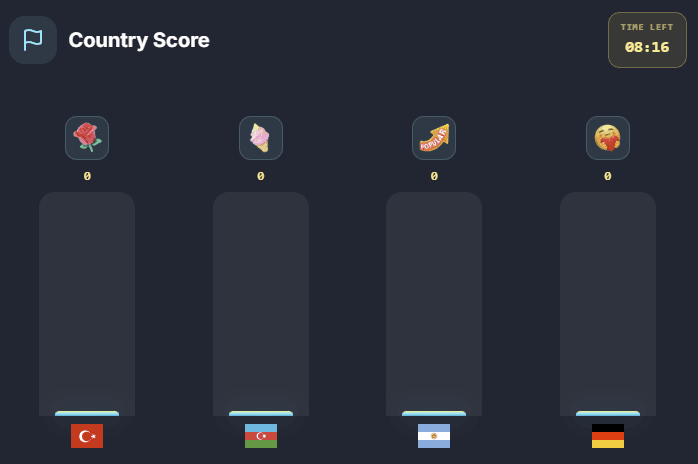
Country Score preview
Live connected
Decide which gift belongs to each country, how many points it earns and how the leaderboard should look on stream.
Assign one TikTok gift to each country and choose the points earned whenever that gift arrives.
The viewer's country does not matter. Any viewer can support any country by sending its configured gift.
Use classic horizontal bars, thick vertical bars with gifts above flags, or a compact minimal card layout.
LIVE GAME
Country Score live overlay
Country Score live overlay
Create your own country rules, select the gifts that represent each country and show the score race as a clean browser-source overlay.
Manage countries, gifts and points from Streamshot
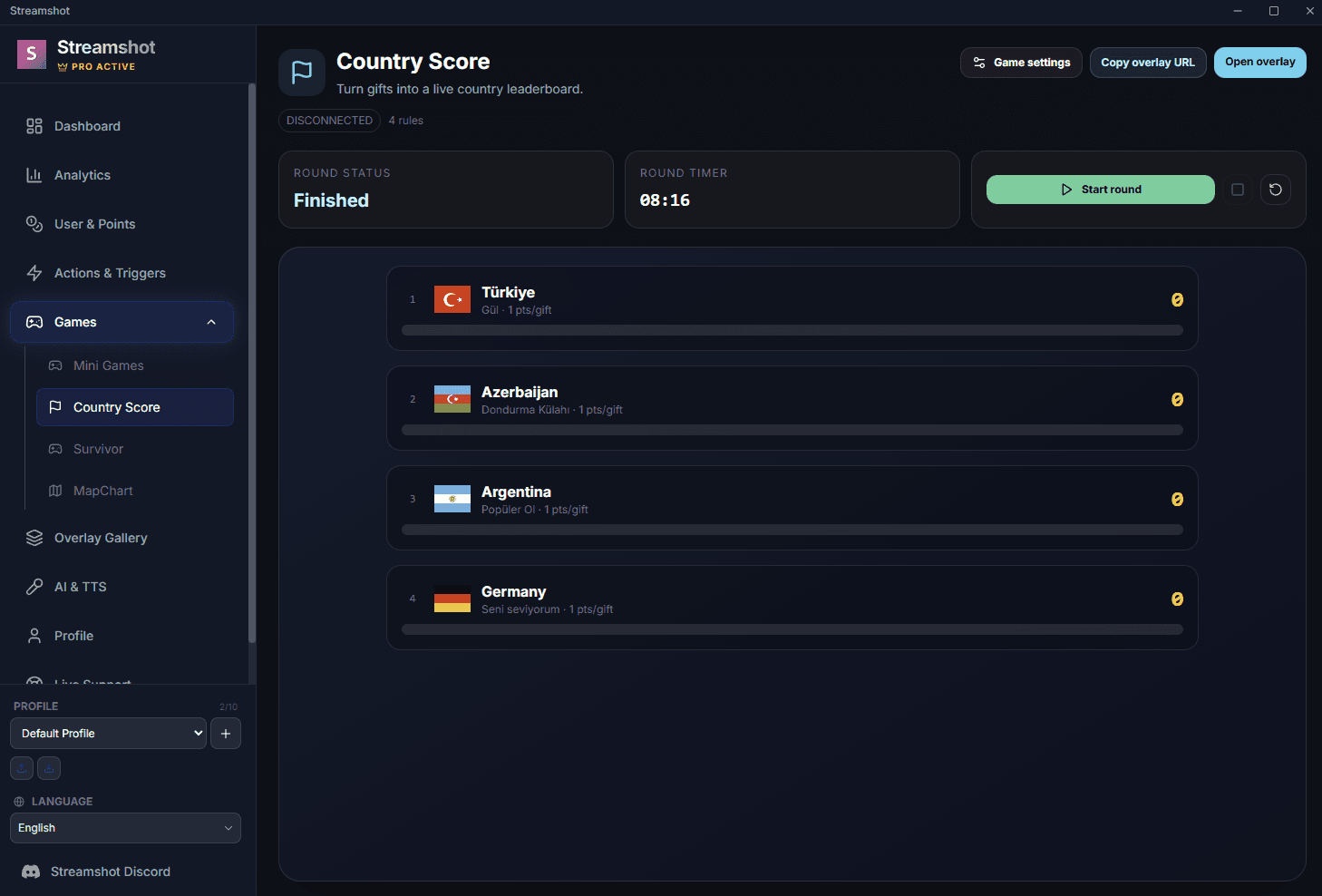
Add the countries you want your audience to support in the game settings.
Select a gift for each country, set its point value and optionally add a round timer.
Copy the browser-source URL to OBS or TikTok LIVE Studio and let the gift race begin.
Download Streamshot, configure Country Score and turn your TikTok LIVE community into a visible competition.
Download free